
12/24: 先日のレッスンよりご紹介・メリークリスマス!!。。明日はマンダリンウエディングの報告です。素敵だったわ・・
Category: スクール・レッスン
Posted by: kaoruko
三越本店カルチャースクールのゆれるブーケコースのレッスンです。初級のカサブランカのブーケは、この日、3回目のレッスンでこんなに作れるように。凄いでしょ?上級レッスンは、クリスマスの感じで。お部屋飾りとしても楽しめるのよ。みんな素敵にメキメキ上達して、今度私の助手してもらおうかしら。なんて本当に思うくらいです。どこに才能の芽があるかわからないし人生変わるかも解らないしね。KAORUKOスタッフもあせるほど。精進しないとね。

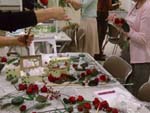
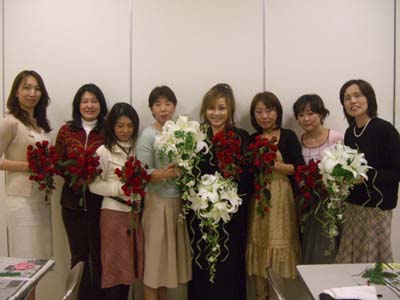 デザインはフリースタイルで、今までお勉強した技法で、自分で考えワイヤーの番号も決め、アットいうまに組み立てたんです。
デザインはフリースタイルで、今までお勉強した技法で、自分で考えワイヤーの番号も決め、アットいうまに組み立てたんです。| ツイートする |


 KAORUKO Facebook







 TORAY PPO
 TORAY PPO

 コロンビア大使館
 25ansウエディング
 25ansウエディング
 百日草のはなよめ
 フローリスト 2
 25ansウエディング
 フローリスト 1
 25ansウエディング
 フローリスト10
 2010.09
 2010.09
 2010.07.22
 2010.07.02
 2010.05.08
 2010.05
 2010.03


















