
02/14: カウントダウンいよいよ誕生します。!
Category: 取材・撮影・講演・トークショー
Posted by: kaoruko
いよいよ15日はKAORUKOブランド「大人Cawaiiブーケドレス」の発表です。
私のブランドドレスを夏川純さんが着て登場。
そして今回新発表デビューのドレス合計13着の他の12着は八木麻衣子ちゃんはじめCawaiiモデルちゃんと、女子大生が着て登場します!
見に来れる人は14日18時締め切りです。席数は立ち見になるかもしれませんが、見ないよりはマシ^^
または16日の芸能ニュースをお楽しみに!
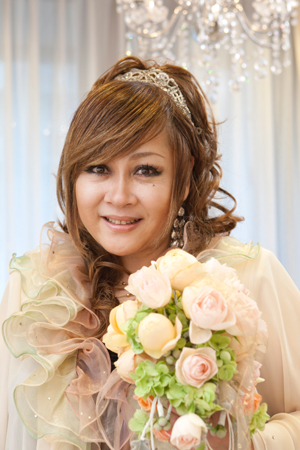



私のブランドドレスを夏川純さんが着て登場。
そして今回新発表デビューのドレス合計13着の他の12着は八木麻衣子ちゃんはじめCawaiiモデルちゃんと、女子大生が着て登場します!
見に来れる人は14日18時締め切りです。席数は立ち見になるかもしれませんが、見ないよりはマシ^^
または16日の芸能ニュースをお楽しみに!
| ツイートする |


 KAORUKO Facebook







 TORAY PPO
 TORAY PPO

 コロンビア大使館
 25ansウエディング
 25ansウエディング
 百日草のはなよめ
 フローリスト 2
 25ansウエディング
 フローリスト 1
 25ansウエディング
 フローリスト10
 2010.09
 2010.09
 2010.07.22
 2010.07.02
 2010.05.08
 2010.05
 2010.03


















