
08/15: お楽しみのプリザコース三越本店
Category: スクール・レッスン
Posted by: kaoruko
三越本店カルチャーレッスン。プリザーブドフラワーです。夏の暑さと海を思わせる貝殻です。ブルーのプリザだといかにもなのでこんな色を使います。
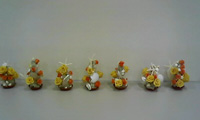


3年ごしにいろいろなコースを通っているもたれかかる生徒さん^^やはいったばかりの新しい生徒さん。お盆だから4人お休みでしたが和気あいあいの楽しい趣味のコースです。プロコースは厳しいKAORUKO先生もここでは優しいのです^^
3年ごしにいろいろなコースを通っているもたれかかる生徒さん^^やはいったばかりの新しい生徒さん。お盆だから4人お休みでしたが和気あいあいの楽しい趣味のコースです。プロコースは厳しいKAORUKO先生もここでは優しいのです^^
| ツイートする |


 KAORUKO Facebook







 TORAY PPO
 TORAY PPO

 コロンビア大使館
 25ansウエディング
 25ansウエディング
 百日草のはなよめ
 フローリスト 2
 25ansウエディング
 フローリスト 1
 25ansウエディング
 フローリスト10
 2010.09
 2010.09
 2010.07.22
 2010.07.02
 2010.05.08
 2010.05
 2010.03


















