
06/15: レッスンのご紹介。三越本店カルチャの前半のクラスの皆さん。
Category: スクール・レッスン
Posted by: kaoruko
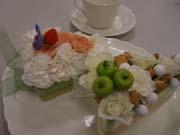
メチャ可愛いでしょ。この日のフラワーケーキも。



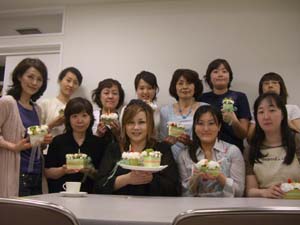
三越本店カルチャーサロンのフレッシュコースの皆さん
初級で4月から3回目のこの日可愛い生花のケーキです。
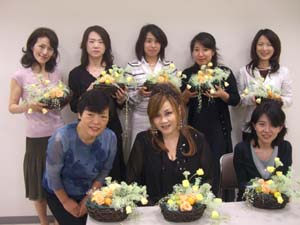
こちらはプリザーブドのイングリッシュ風。ガーデニングのように咲きこぼれるように。フルーツも一緒に。



三越本店プリザーブドフラワークラス。お休みの方が多かったので少し寂しい記念写真
三越本店カルチャーサロンのフレッシュコースの皆さん
初級で4月から3回目のこの日可愛い生花のケーキです。
こちらはプリザーブドのイングリッシュ風。ガーデニングのように咲きこぼれるように。フルーツも一緒に。
三越本店プリザーブドフラワークラス。お休みの方が多かったので少し寂しい記念写真
| ツイートする |


 KAORUKO Facebook







 TORAY PPO
 TORAY PPO

 コロンビア大使館
 25ansウエディング
 25ansウエディング
 百日草のはなよめ
 フローリスト 2
 25ansウエディング
 フローリスト 1
 25ansウエディング
 フローリスト10
 2010.09
 2010.09
 2010.07.22
 2010.07.02
 2010.05.08
 2010.05
 2010.03


















