
10/11: ハローウィン特集。NYから・スタジオから・KAORUKOサロンから
Category: 花・作品写真(アール・ドゥ・・・カテゴリー以外の物)
Posted by: kaoruko
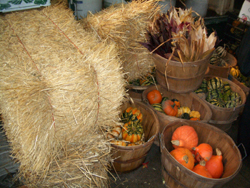
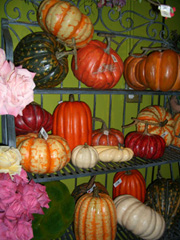
もうすぐハローウィンですね。ちょうど去年の今頃にニューヨークにブライダルショーを手掛けに行ったときの花市場は、こんな風にハローウィンの準備でした。。。。ごろごろ転がっているかぼちゃたち。
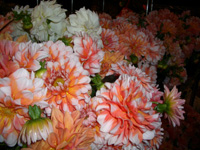 オレンジ色の花たちも様々にかわいい。
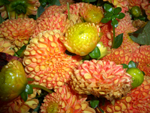 どれもほしくて、日本では普通にないような組み合わせの花をしこたま買い込む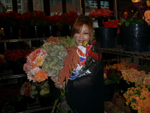
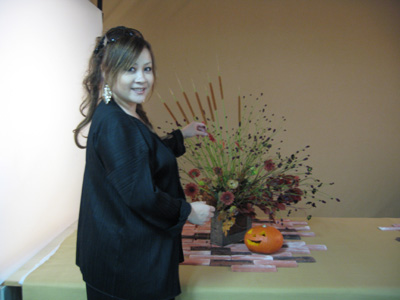
コレは、某表紙の撮影を7月に行ったとき。。。かきあつめたっけ。今なら出回っているけど7月ですよ。。。そして、来週は、お正月の撮影です。今準備中。お楽しみに!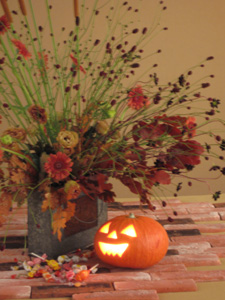
 そしてこれは、KAORUKOサロンの玄関脇に並べられた撮影の残りの可愛い子たち。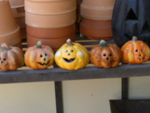
オレンジ色の花たちも様々にかわいい。どれもほしくて、日本では普通にないような組み合わせの花をしこたま買い込む コレは、某表紙の撮影を7月に行ったとき。。。かきあつめたっけ。今なら出回っているけど7月ですよ。。。そして、来週は、お正月の撮影です。今準備中。お楽しみに!
そしてこれは、KAORUKOサロンの玄関脇に並べられた撮影の残りの可愛い子たち。| ツイートする |


 KAORUKO Facebook







 TORAY PPO
 TORAY PPO

 コロンビア大使館
 25ansウエディング
 25ansウエディング
 百日草のはなよめ
 フローリスト 2
 25ansウエディング
 フローリスト 1
 25ansウエディング
 フローリスト10
 2010.09
 2010.09
 2010.07.22
 2010.07.02
 2010.05.08
 2010.05
 2010.03


















