
05/01: 今日のデリバリーはこんな感じで。
Category: 花・作品写真(アール・ドゥ・・・カテゴリー以外の物)
Posted by: kaoruko
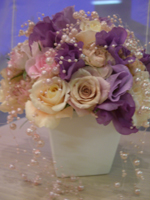
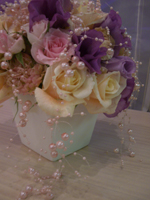
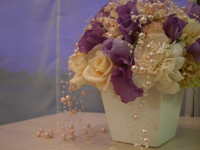
今日もルコパールを使って可愛いデリバリーを作りました。かわいくて上品でおんなのこが大好きそうなシュガーっぽい感じです。KAORUKOの工場で染めて作るルコパールは類似品はたくさんあるけどなんてったってKAORUKO工場が作るのでこんなシュガーピンクやゴールドやミントグリーンとかいろいろあるの。KAORUKOだけのオリジナルだから品切れもないしいつ注文いただいてもこうしたデリバリーやウエディングブーケに取り入れて素敵に。流行をまた作り出してしまったけどKAORUKOだけの本家本元オリジナル。上品さの質感が違います。夕暮れで光溢れるお部屋ではないのに結構素敵に写真撮れました。
そしてレッスンの様子

ジァルドゆれるブーケコースの皆さん。
同日入会だから既に同期意識で仲良しさんです。
看護師さん・デザイナーさん・国際線のスチュワーデスさんと女性で仕事を持って頑張っている方たちです。
★★★★★★★★★★★★★★★★★★★★★
そしてレッスンの様子
ジァルドゆれるブーケコースの皆さん。
同日入会だから既に同期意識で仲良しさんです。
看護師さん・デザイナーさん・国際線のスチュワーデスさんと女性で仕事を持って頑張っている方たちです。
★★★★★★★★★★★★★★★★★★★★★
| ツイートする |


 KAORUKO Facebook







 TORAY PPO
 TORAY PPO

 コロンビア大使館
 25ansウエディング
 25ansウエディング
 百日草のはなよめ
 フローリスト 2
 25ansウエディング
 フローリスト 1
 25ansウエディング
 フローリスト10
 2010.09
 2010.09
 2010.07.22
 2010.07.02
 2010.05.08
 2010.05
 2010.03


















