
05/13: みずばしょうの花が咲いてる〜♪
Category: General
Posted by: kaoruko
日本の歴史に名を残された作曲家の故中田喜直先生を忍ぶこのみずばしょう忌のコンサートでは毎年ありがたいことに奥様から私のフラワーデザインをご用命いただいております。
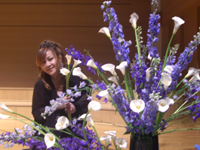 水芭蕉に見える?カラーで
 大きな森のような枝を使う年もあるけど今年は水のせせらぎが聞こえ流れるようなイメージでデザイン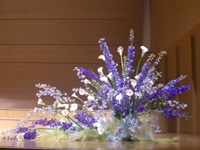
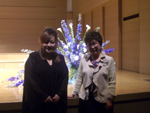 奥様の幸子夫人と。
 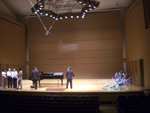 リハーサル風景
歴史に名を残すって凄い。本人が亡くなっても人々の心に名曲は残りくちずさみかたり継がれ歌われ続け・・・
今年も担当させて頂きありがたいことです。
水芭蕉に見える?カラーで 大きな森のような枝を使う年もあるけど今年は水のせせらぎが聞こえ流れるようなイメージでデザイン 奥様の幸子夫人と。 リハーサル風景歴史に名を残すって凄い。本人が亡くなっても人々の心に名曲は残りくちずさみかたり継がれ歌われ続け・・・
今年も担当させて頂きありがたいことです。
| ツイートする |


 KAORUKO Facebook







 TORAY PPO
 TORAY PPO

 コロンビア大使館
 25ansウエディング
 25ansウエディング
 百日草のはなよめ
 フローリスト 2
 25ansウエディング
 フローリスト 1
 25ansウエディング
 フローリスト10
 2010.09
 2010.09
 2010.07.22
 2010.07.02
 2010.05.08
 2010.05
 2010.03


















