
05/31: 台湾花博出演フラワーショーの取材記事
Category: 取材・撮影・講演・トークショー
Posted by: kaoruko
台湾花博で日本を代表して出演したKAORUKOフラワーショーの取材記事が花卉新聞に掲載されました。
震災直後に台湾から義援金が100億円超も一般の方々から日本へ成された時でしたからせんえつながら日本を代表して「御礼」を日の丸に書かせていただき
感謝の意をフィナーレと記者会見でお伝えしました。その模様です。
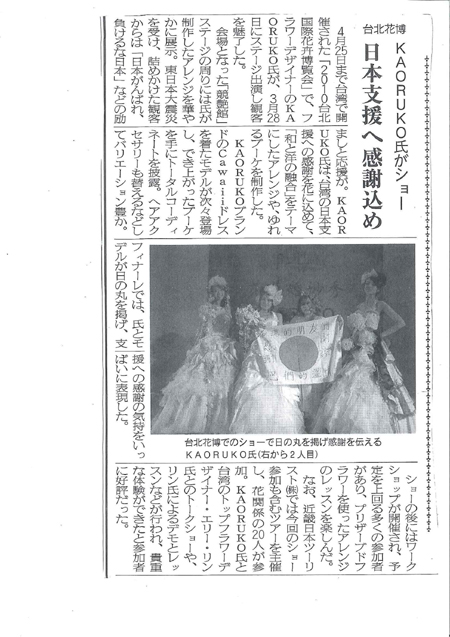
台湾市民の方はもとより世界からの来場者が殺到してくれて翌日の台湾の芸能ニュースにもでるなど、日本台湾の多くのマスコミ取材を受けました。
震災直後に台湾から義援金が100億円超も一般の方々から日本へ成された時でしたからせんえつながら日本を代表して「御礼」を日の丸に書かせていただき
感謝の意をフィナーレと記者会見でお伝えしました。その模様です。
台湾市民の方はもとより世界からの来場者が殺到してくれて翌日の台湾の芸能ニュースにもでるなど、日本台湾の多くのマスコミ取材を受けました。
| ツイートする |


 KAORUKO Facebook







 TORAY PPO
 TORAY PPO

 コロンビア大使館
 25ansウエディング
 25ansウエディング
 百日草のはなよめ
 フローリスト 2
 25ansウエディング
 フローリスト 1
 25ansウエディング
 フローリスト10
 2010.09
 2010.09
 2010.07.22
 2010.07.02
 2010.05.08
 2010.05
 2010.03


















