
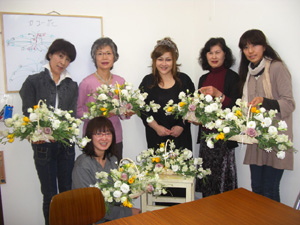
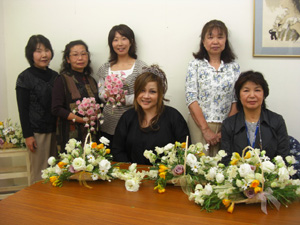
04/19: 昨日の木更津レッスンの皆さん
Category: スクール・レッスン
Posted by: kaoruko
木更津レッスンの模様です。新しくできた小さなウエディングコーナーでドレスに合わせているのはレッスンで作ったウエディングブーケです。ゆれるブーケ初級です。他は春の花を使ってかごからあふれるように。


★★★★★★★★★★★★★★★★★★★★★★
今日、明日は神田に缶詰になっています。詳しくは明日ご紹介します。とても大変だけど神田だけあって食事は古きよき日本の老舗が多いから昼夜は美味しく頂いています。明日一挙公開ね。
★★★★★★★★★★★★★★★★★★★★★★
今日、明日は神田に缶詰になっています。詳しくは明日ご紹介します。とても大変だけど神田だけあって食事は古きよき日本の老舗が多いから昼夜は美味しく頂いています。明日一挙公開ね。
| ツイートする |


 KAORUKO Facebook







 TORAY PPO
 TORAY PPO

 コロンビア大使館
 25ansウエディング
 25ansウエディング
 百日草のはなよめ
 フローリスト 2
 25ansウエディング
 フローリスト 1
 25ansウエディング
 フローリスト10
 2010.09
 2010.09
 2010.07.22
 2010.07.02
 2010.05.08
 2010.05
 2010.03


















