
02/25: お寿司の会の新年会
Category: 友人・知人のご紹介と写真
Posted by: kaoruko
今日は恒例のお寿司の会の新年会でした。全員それぞれが忙しいので新年会が今日になりました。^^
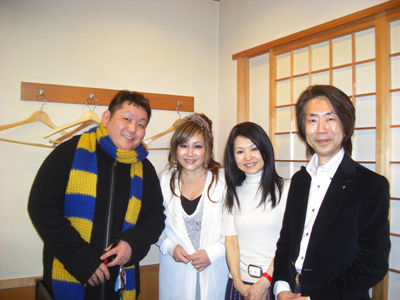
アッという間に楽しい話やありがたい学びの話で花が咲き、気がついたら9時間もたってしまい、慌てて解散。明日も早いので、もう寝ないとならないので詳しくは明日!明日は横浜開港150周年記念晩餐会なのです。
アッという間に楽しい話やありがたい学びの話で花が咲き、気がついたら9時間もたってしまい、慌てて解散。明日も早いので、もう寝ないとならないので詳しくは明日!明日は横浜開港150周年記念晩餐会なのです。
| ツイートする |


 KAORUKO Facebook







 TORAY PPO
 TORAY PPO

 コロンビア大使館
 25ansウエディング
 25ansウエディング
 百日草のはなよめ
 フローリスト 2
 25ansウエディング
 フローリスト 1
 25ansウエディング
 フローリスト10
 2010.09
 2010.09
 2010.07.22
 2010.07.02
 2010.05.08
 2010.05
 2010.03


















