
07/15: 富士屋ホテルから再び
Category: General
Posted by: kaoruko
再び菊の間が私のためにご用意されていました。ジョン・レノンの部屋でもありカオルコさんの部屋として語り継がれたりして?パソコンを持ってきてないのでプロバイダーにきいて、携帯投稿初めてします。いま、130周年記念式典がお開き。FUJIYAの創業者一族の山口正造さんは花が大好きでそのご縁もあるから、ジョン・レノンだけでなくとてつもなくたくさんのエナジーがあり、ほんとにすばらしい気のパワースポットよ。皆さんご存知の11日に無料交換したばかりの原因不明の壊れた携帯がなんとまた、壊れたんですぅ。ありえない?一緒にご招待された野田専務理事のカメラで、野田専務を私がパーティーで写して差し上げようとカメラをもらうと電源が落ちること五回。携帯の電源も突然落ちること。薫子さんなんなの?と皆さんビビってます。ここFUJIYAホテルに来るとすごいパワーアップ。古いにしえの高級なエナジーが取り巻いている。心地よいですよ。式典では現在のFUJIYAホテルオーナー国際興業社長でFUJIYA会長のの小佐野様とも勝
俣社長にご紹介されてご挨拶。何を隠そう私も旧姓小佐野ですから、やっぱりご縁つながりね。まだつい先日の出来事なのに、FUJIYAホテルでのディナーショーやこの部屋や、廊下、随所が懐かしく切ない。ほんとにすばらしいホテルだから、皆さんも夏は気の良いパワースポット間違いなしの品格溢れる箱根FUJIYAホテルへようこそいらしてください。では、いまから、蛍を見に日本庭園へお散歩行きます。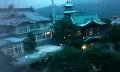
俣社長にご紹介されてご挨拶。何を隠そう私も旧姓小佐野ですから、やっぱりご縁つながりね。まだつい先日の出来事なのに、FUJIYAホテルでのディナーショーやこの部屋や、廊下、随所が懐かしく切ない。ほんとにすばらしいホテルだから、皆さんも夏は気の良いパワースポット間違いなしの品格溢れる箱根FUJIYAホテルへようこそいらしてください。では、いまから、蛍を見に日本庭園へお散歩行きます。
| ツイートする |


 KAORUKO Facebook







 TORAY PPO
 TORAY PPO

 コロンビア大使館
 25ansウエディング
 25ansウエディング
 百日草のはなよめ
 フローリスト 2
 25ansウエディング
 フローリスト 1
 25ansウエディング
 フローリスト10
 2010.09
 2010.09
 2010.07.22
 2010.07.02
 2010.05.08
 2010.05
 2010.03


















